Designed a trustworthy banking app by blending playful design with clarity(UI)
Outcome
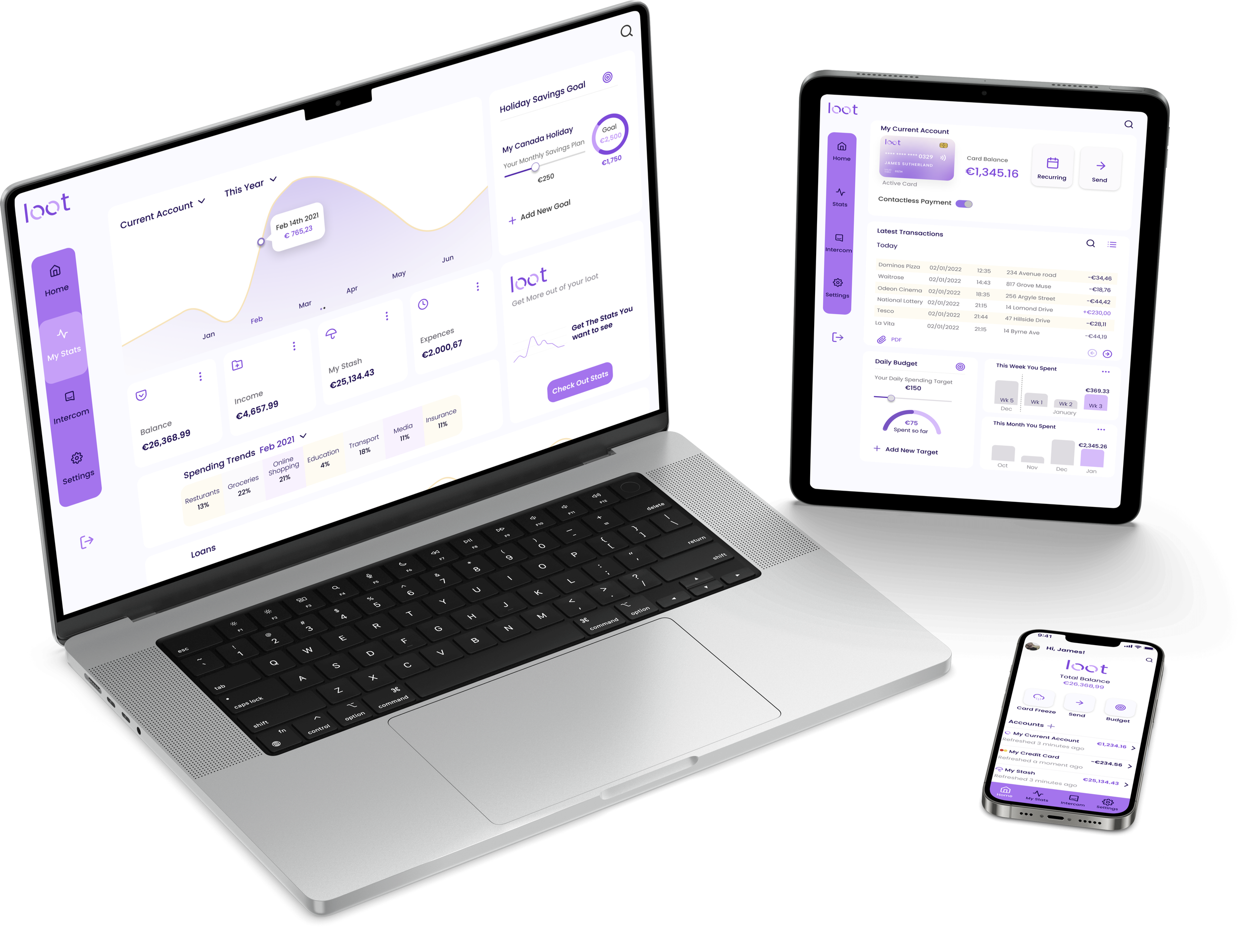
Created a responsive challenger-banking app that balanced playfulness and clarity while maintaining a strong sense of trust.
The final design introduced a thumb-friendly bottom navigation, simplified data visualization for spending insights, and a brand identity that felt approachable yet secure..
Role: UX+UI Designer | Tools: Figma | Duration: 8 Weeks | UI Diploma Project
Problem Statement
A new challenger brand in the financial sector needed a responsive banking app that expressed its Clear, Playful, and Trustworthy brand principles.
The challenge was to design a UI that worked seamlessly across desktop, tablet, and mobile—communicating transparency and security without losing the light, engaging personality that defined the brand.
Challenger banks brand principles
Clear
Financial data must be presented logically and without clutter.
Playful
The interface should feel joyful and full of personality through color, motion, and shape—never at the expense of usability.
Trustworthy
Users must feel confident and safe while managing their money.
Finding brand principle value in Brainstorming analysis
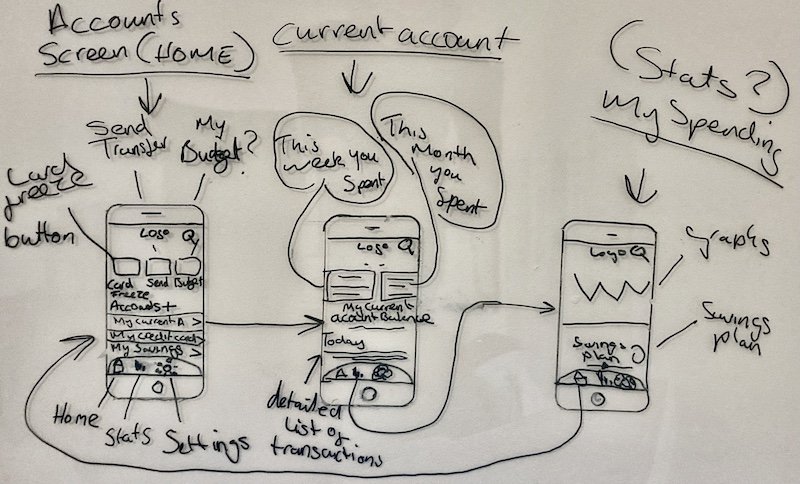
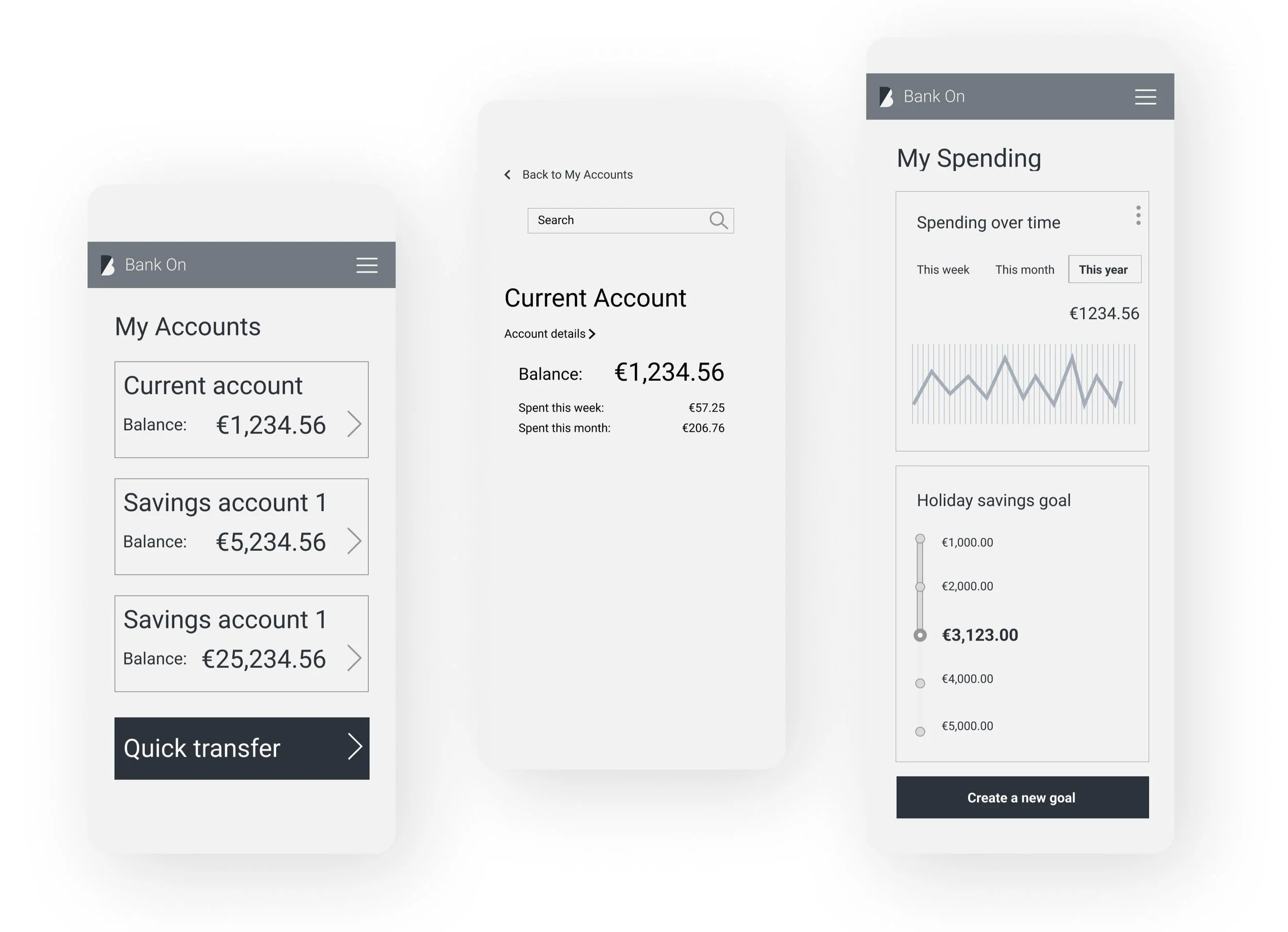
Basic Mobile Wireframes
Finding Brand Value Through Brainstorming
I began by exploring how these principles could be expressed visually and interactively.
Through sketching and rapid wireframing, I focused on the mobile experience first, since clarity and reachability are most tested on small screens.

Bottom navigation: Instead of hiding options in a hamburger menu, I implemented a bottom navigation bar.
The change made core functions reachable with one thumb—simpler, faster, and aligned with mobile ergonomics.
This reduced cognitive load, increased white space, and emphasized key calls-to-action.
Dashboard rethink: My early dashboard design introduced a second layer of navigation that risked confusing users.

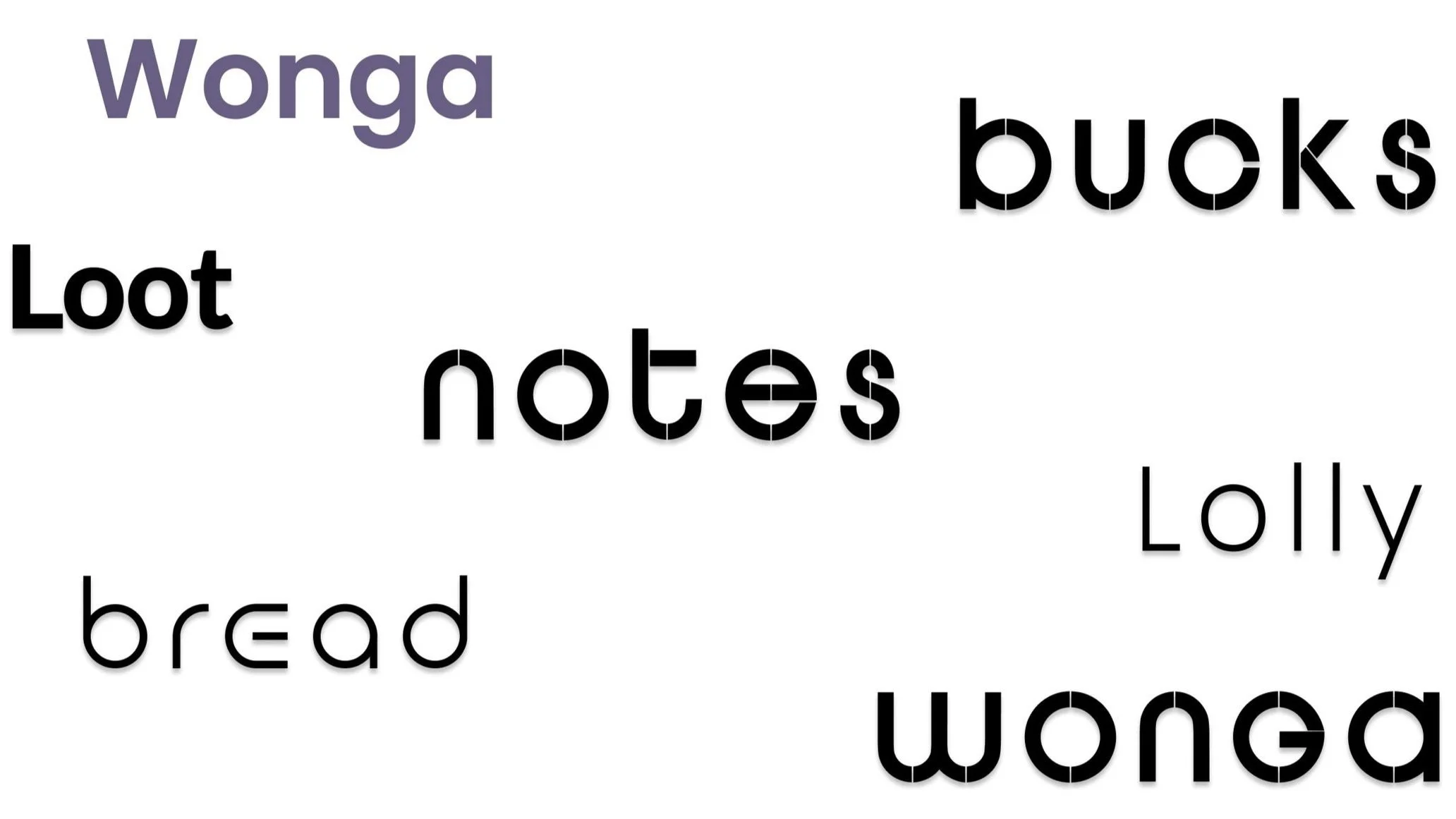
Brainstorming slang names for “Money” to find a logo
Ensuring the brand's personality aligned perfectly involved selecting a name for the bank that would captivate customers and differentiate it from competitors.
With the brand's playful persona in mind, I began brainstorming slang names associated with money, aiming to infuse a lighthearted charm into the brand identity.

Loot as the starting place
I was drawn to the name "Loot" and the imagery it evoked of customers having a bag of treasure at the bank. However, I recognized that "Loot" might carry some negative connotations, so I decided to share and test the idea with my mentor and other students on Slack to gather a balanced opinion and validate my assumption.
Additionally, I saw the potential of using the two Os in "Loot" as dynamic coins in motion, further reinforcing the brand's identity and visual appeal.
Making the “Spent this week/ month” feature easier to comprehend with iterations
Design Process Overview:
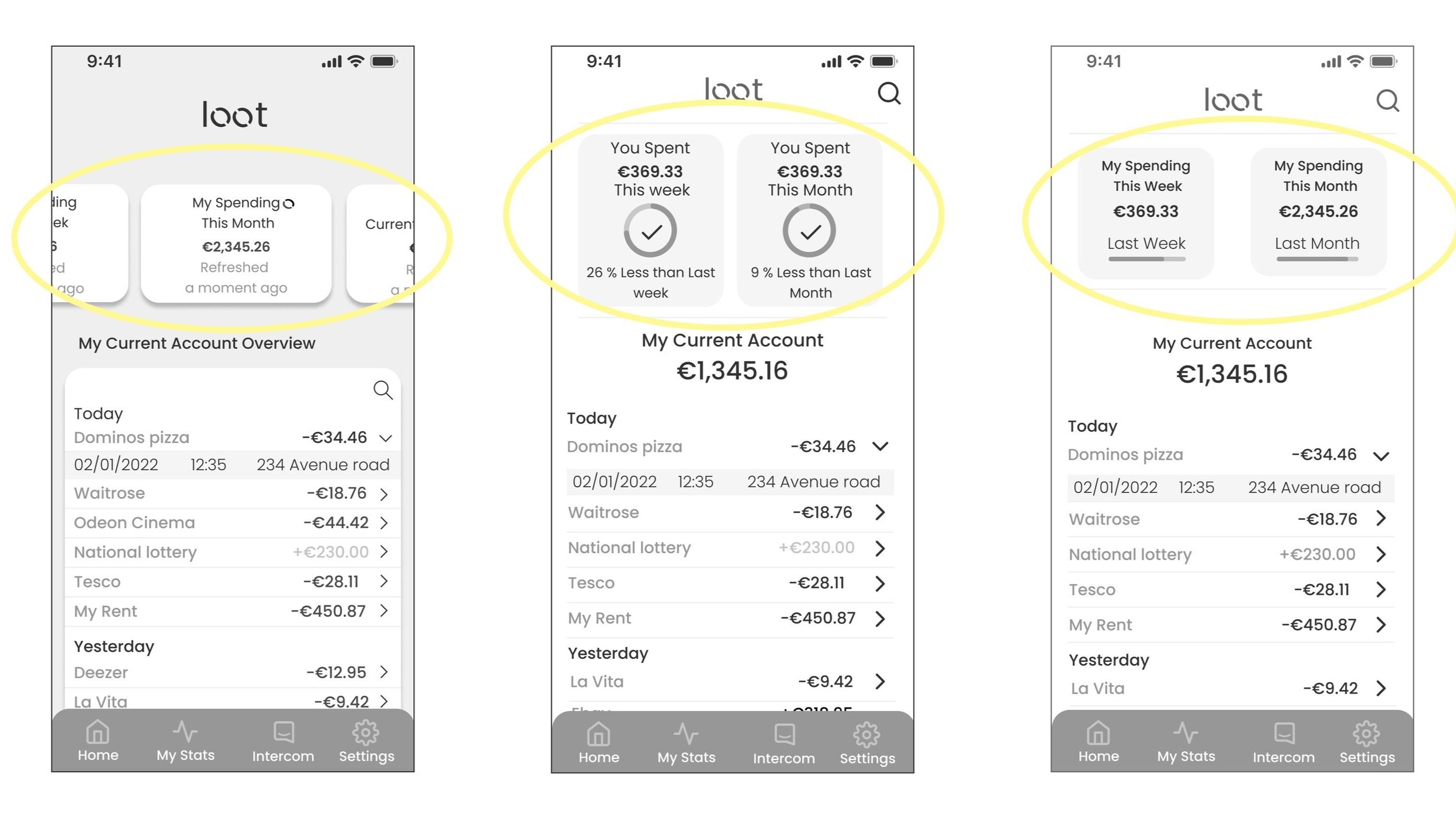
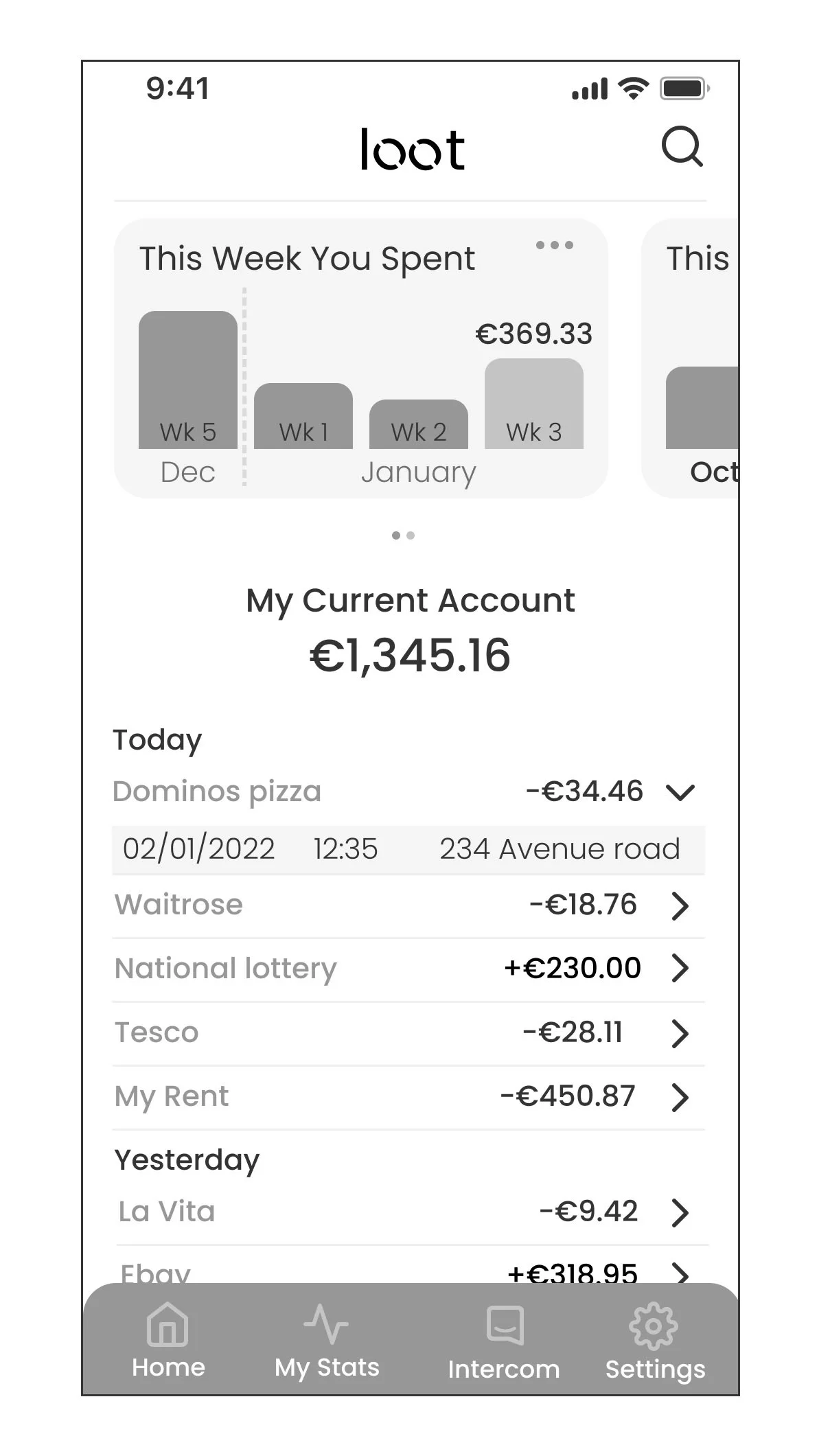
My design process began with creating grayscale wireframes, enabling me to focus exclusively on the core structure, content, and information hierarchy without the distraction of colours or aesthetics. This approach ensured that the fundamental design was functional.
Objective:
For the current account screen, my primary goal was to present spending information in a way that was both intuitive and informative. I wanted users to easily grasp their spending patterns on a weekly and monthly basis, with an emphasis on data clarity and user engagement.
Design Considerations:
Data Clarity: I aimed to make key financial data easily digestible at a glance. This required a balance between displaying essential information and avoiding overwhelming the user with too many details.
Playfulness and Space Optimization: To create a more engaging user experience, I introduced subtle, playful elements without compromising the professionalism expected from a banking app. Additionally, I focused on efficient space usage, ensuring that important data was prominent without feeling cramped.
Mood Board Inspiration: To spark creativity, I curated a mood board featuring design elements from various banking and financial websites. This helped me identify patterns and trends that could be adapted to suit the needs of my design while maintaining originality.
Design Solution:
I determined that a graph-like representation of spending would be the most effective way to communicate financial data. This visual format not only provides an at-a-glance overview of current spending but also allows users to track their spending trends over time.
Key Decisions:
Graph Representation:
I chose a graph to visually represent spending across weeks and months, as it offers a clear and intuitive understanding of trends. Users can easily compare different time periods without the need for extensive numerical data.Minimalist Approach:
To minimize visual clutter and maintain a clean interface, I opted not to display the exact sum of money spent each week on the graph itself. This decision was driven by the desire to keep the interface streamlined and focused on trends rather than specific figures.
Outcome:
The resulting design successfully balances clarity, engagement, and functionality. Users are able to track their spending with ease, while the playful yet professional design fosters a positive and user-friendly experience.
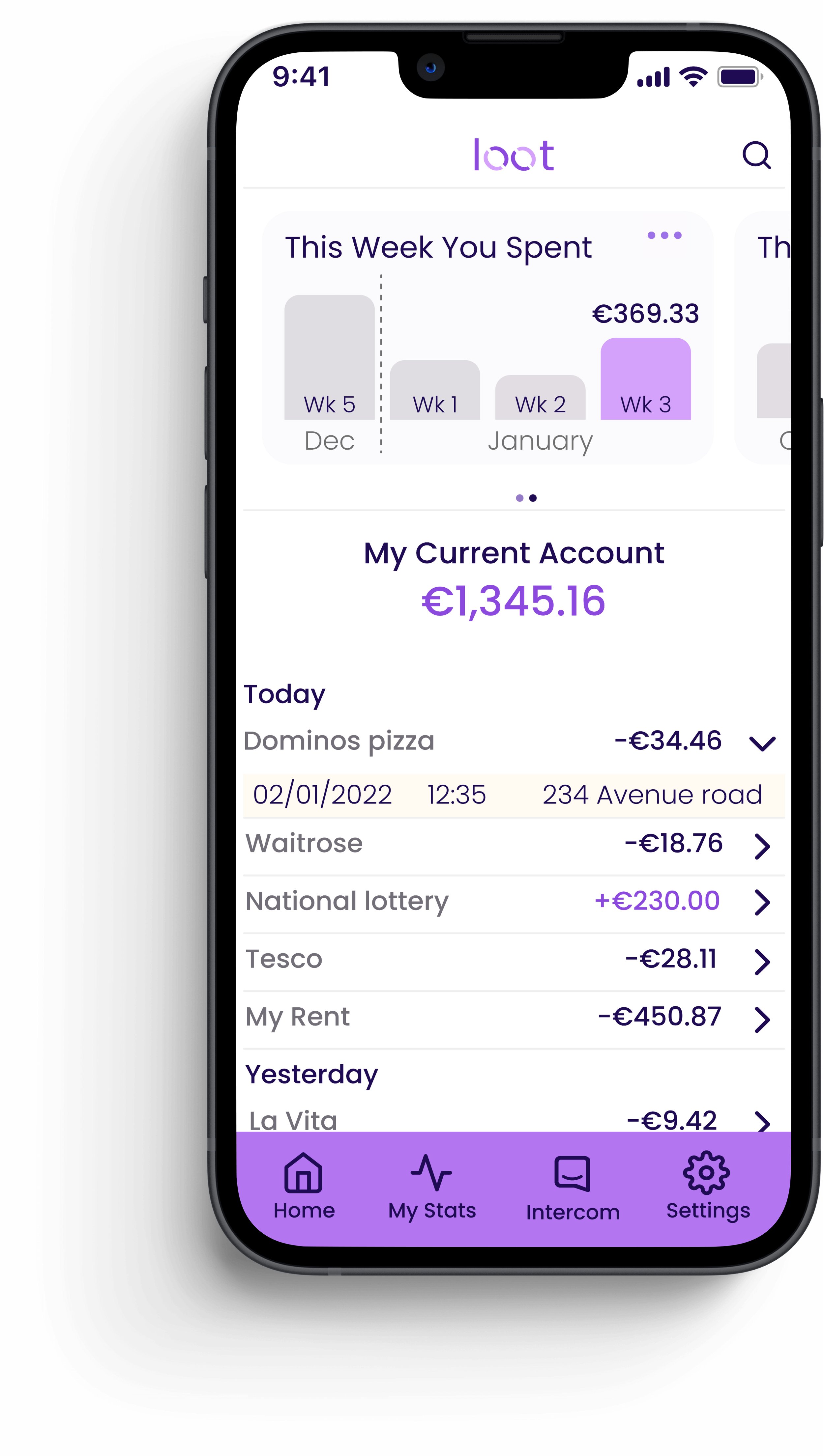
Bringing the Loot Banking app to life
Colour
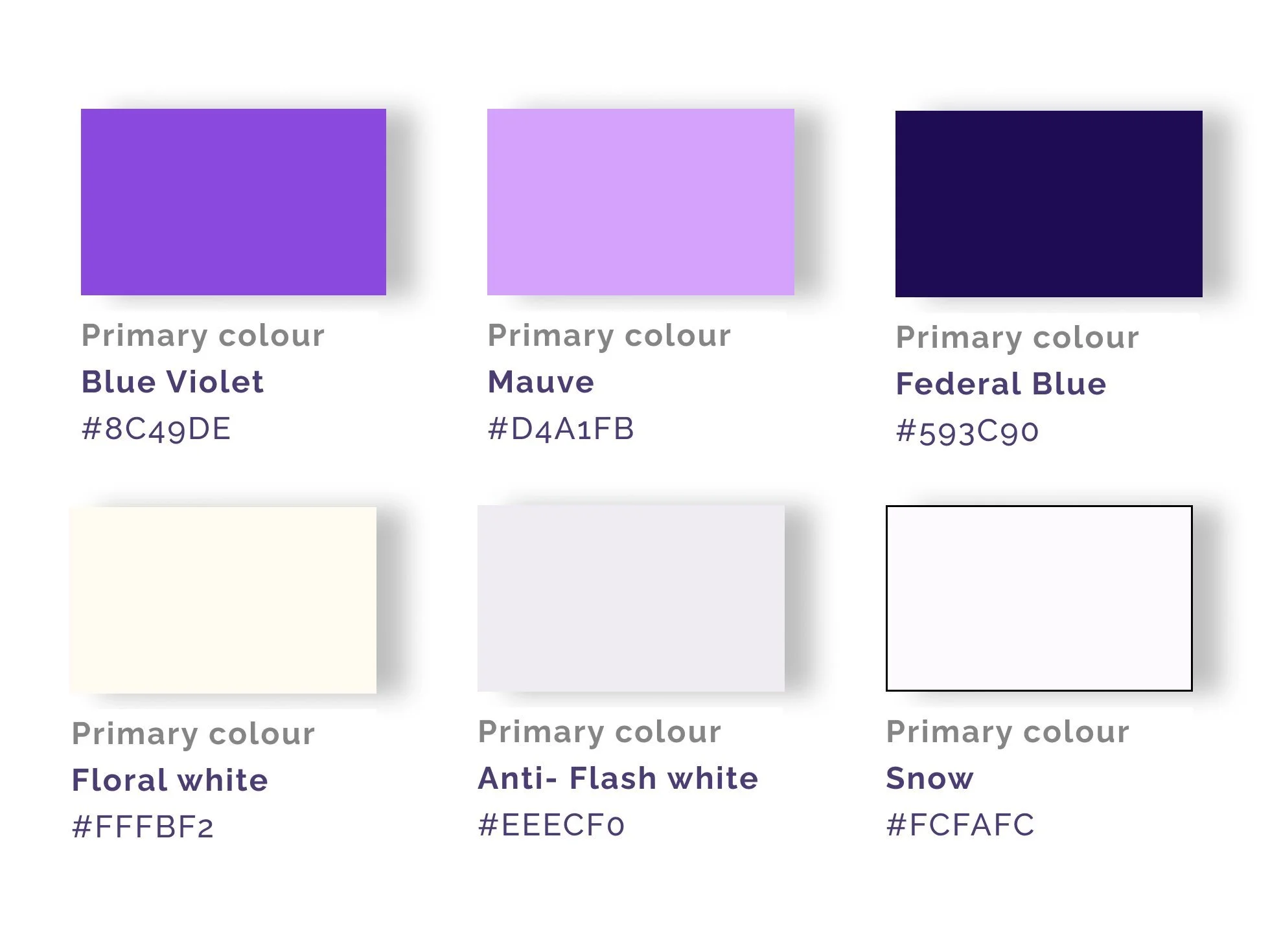
I chose a playful look that would complement the brand principles. The purple also adds a feeling of wealth which aligns with the theme of finance.
Typography - Poppins
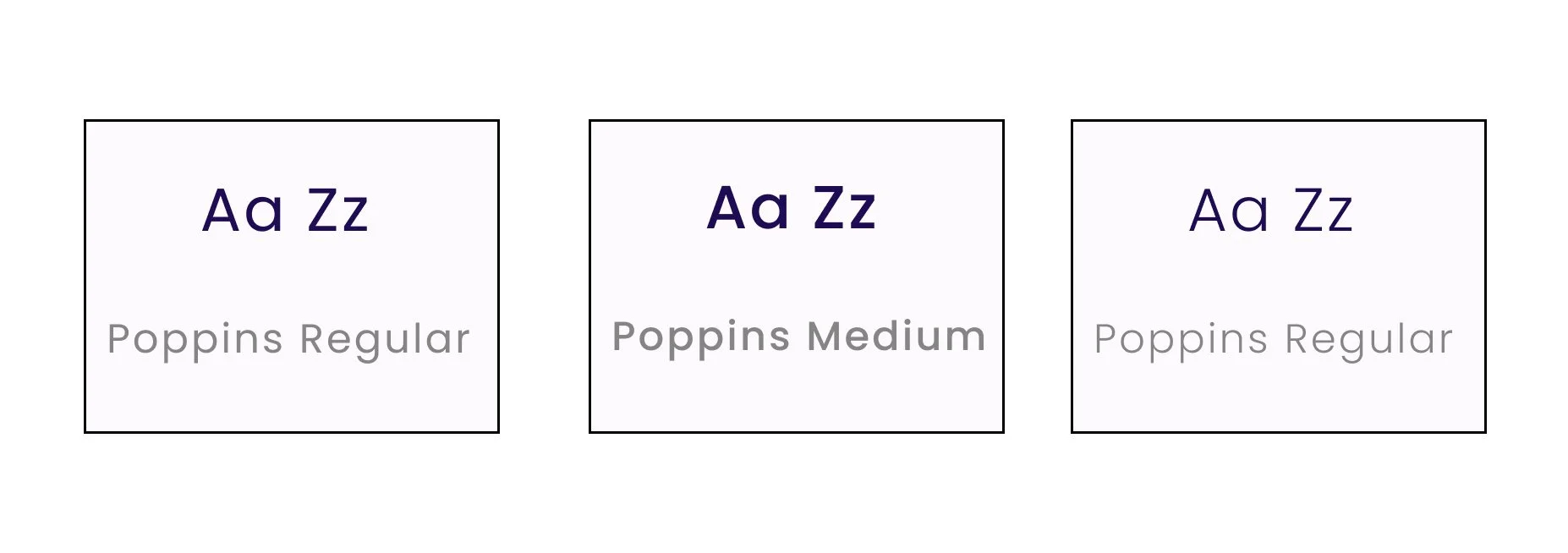
The typography strikes a balance between playfulness and professionalism, enhancing readability, which is crucial for digesting complex lists and data.
Loot-Mobile screens
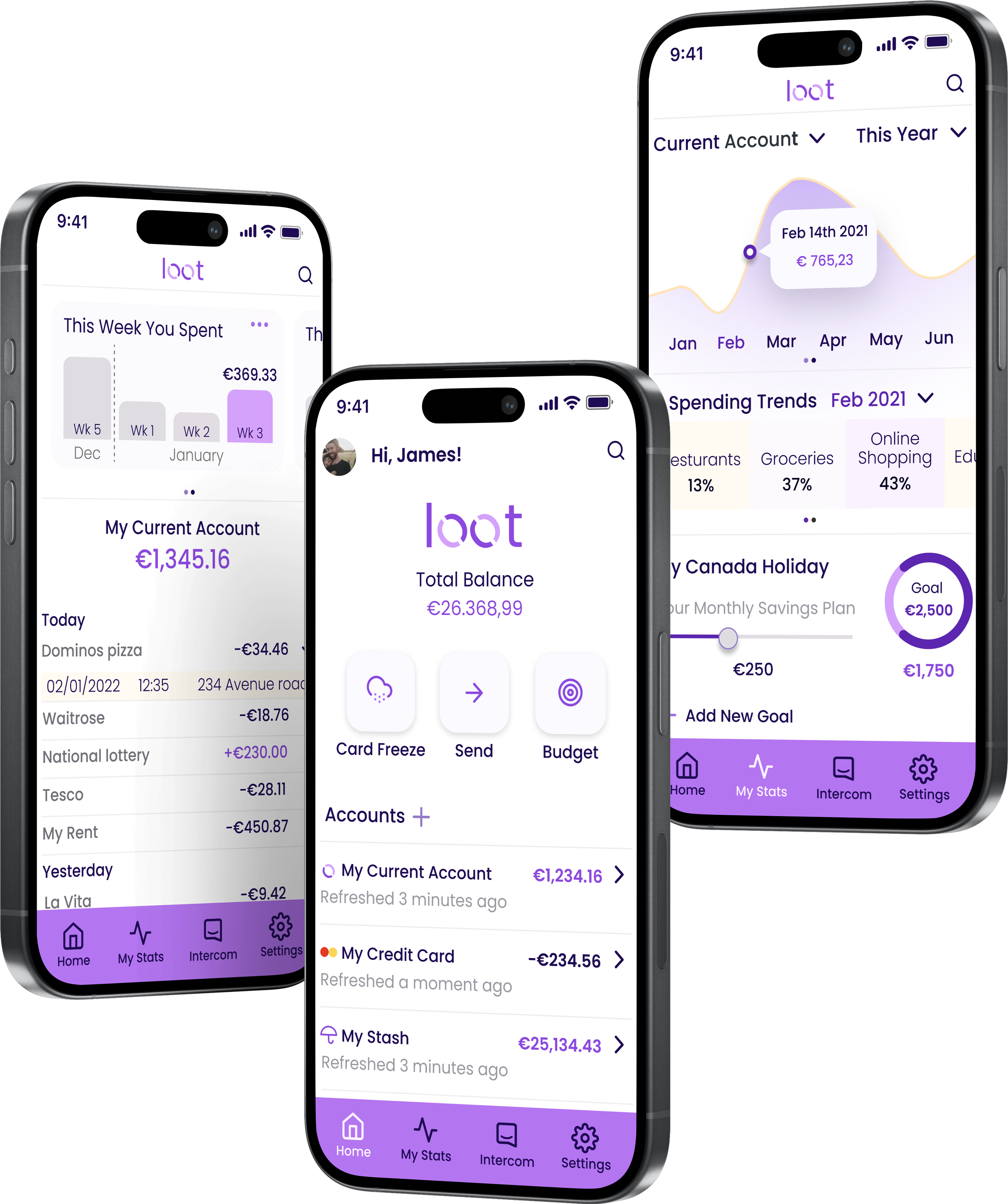
Loot as responsive app
More Case Studies
-
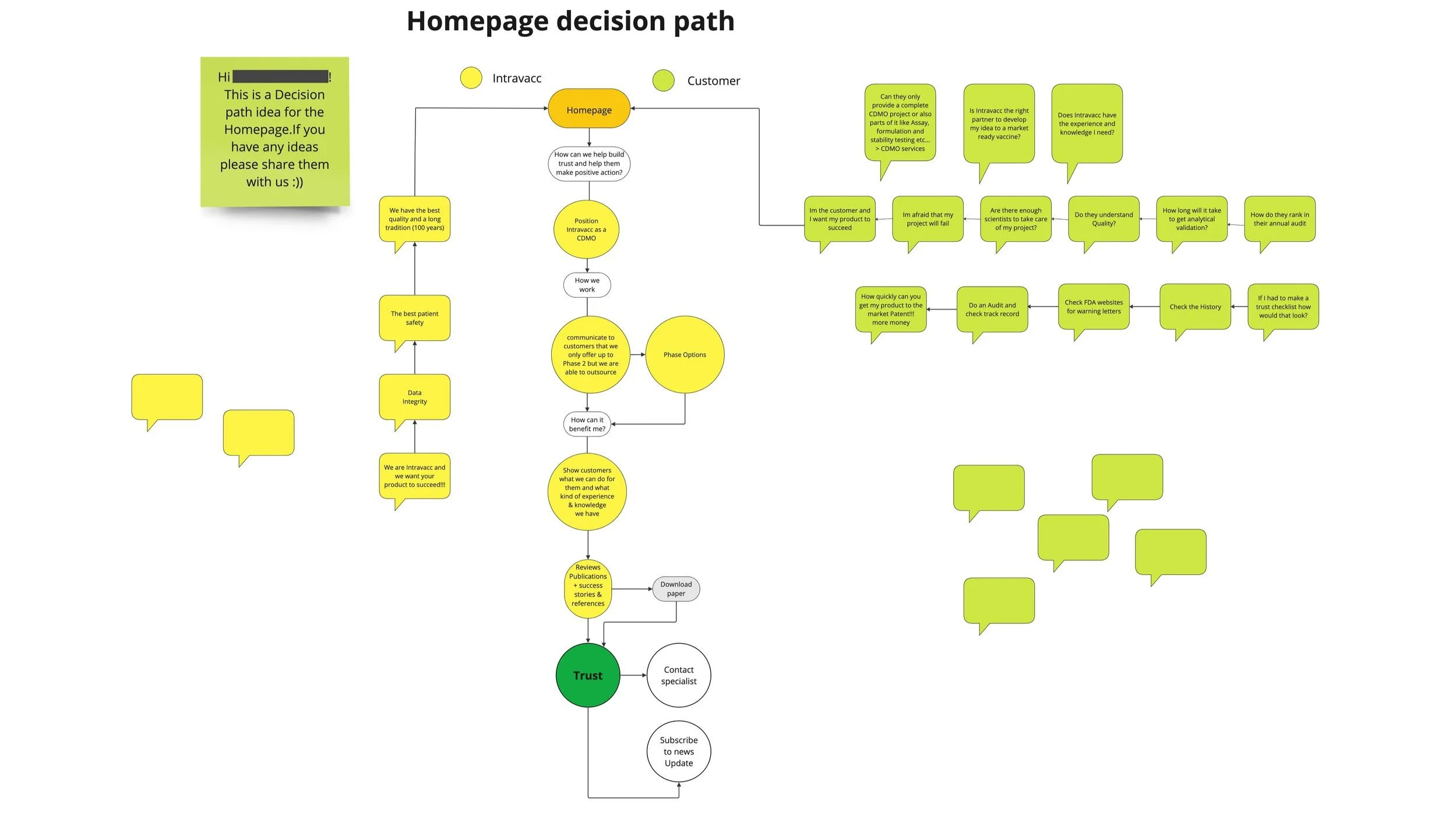
Increasing Intravacc lead generation with website relaunch (UX)
RESULT: Worked with the team to build a website that improved lead generation and clarified Intravacc’s CDMO offering.
WHAT: Competitive analysis, homepage improvement, OOUX, wireframes, prototyping, bottom navigation for mobile.
WHO: Intravacc — a global leader in translational research and development of viral and bacterial vaccines.
7 minute read
-

Fly UX: Increasing Bookings by Simplifying Booking Process (UX)
RESULT: Built and tested a medium-fidelity desktop prototype using research insights to validate key assumptions.
WHAT: Competitive analysis, user testing, affinity diagramming, user journey mapping, user flows, and prototype development.
WHO: The client is a proposed startup airline aiming to create a fast, easy, and intuitive online experience for its target users.
7 minute read